
How to Capture Clear Leaf-Level Images with a Low-Altitude Drone
Low-altitude drone photography of crops at lower elevations is a great way for farmers to analyze their crops. Leaf stress, canopy growth, and other signs of crops in need can be seen with high quality leaf photographs. These photos can be taken with any type of camera regardless of the altitude of the photograph, so long as the photograph is taken at a good shutter speed and flight angle.
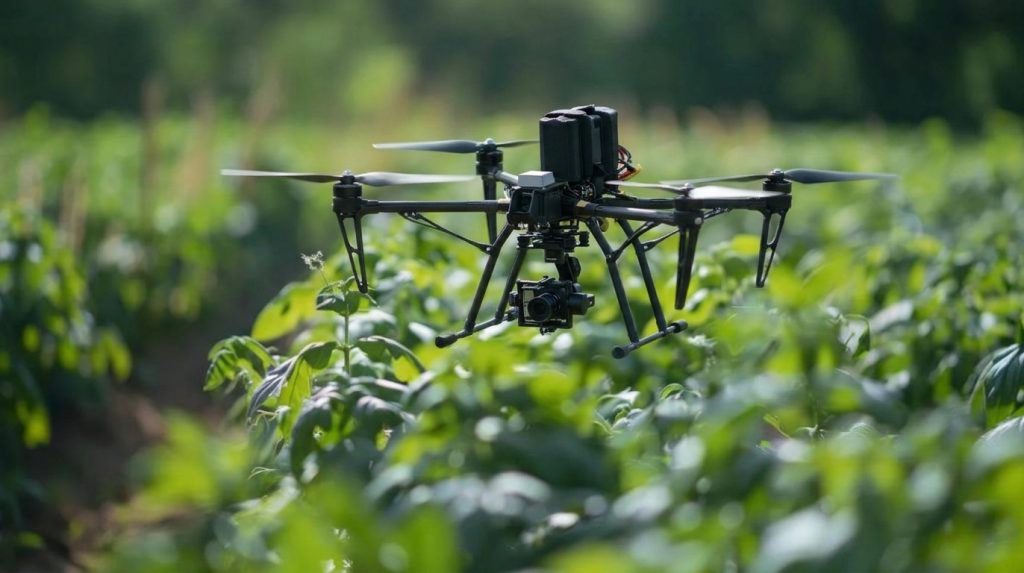
The ease of using aerial photography with the ability to combine it with other on-ground photos is great for everyone involved.
Table of Contents
Determine Flight Altitude Using Ground Sampling Distance (GSD)
Ground sampling distance (GSD) is the ground distance equivalent to one pixel. Lower GSDs mean more detailed imagery, like leaf edges, spots, and discolorations.
Typical GSD targets:
- Leaf-scale imaging: 0.5–1.5 cm/pixel, with less than 1 cm/pixel for finer detail
- Seedling detection and counting: ~0.5 cm/pixel
- Canopy cover and variability: 1–2 cm/pixel
Specific requirements depend on target scale, camera capabilities, lighting conditions, and analysis techniques.
GSD = (Sensor Width × Flight Height) / (Focal Length × Image Width in Pixels)
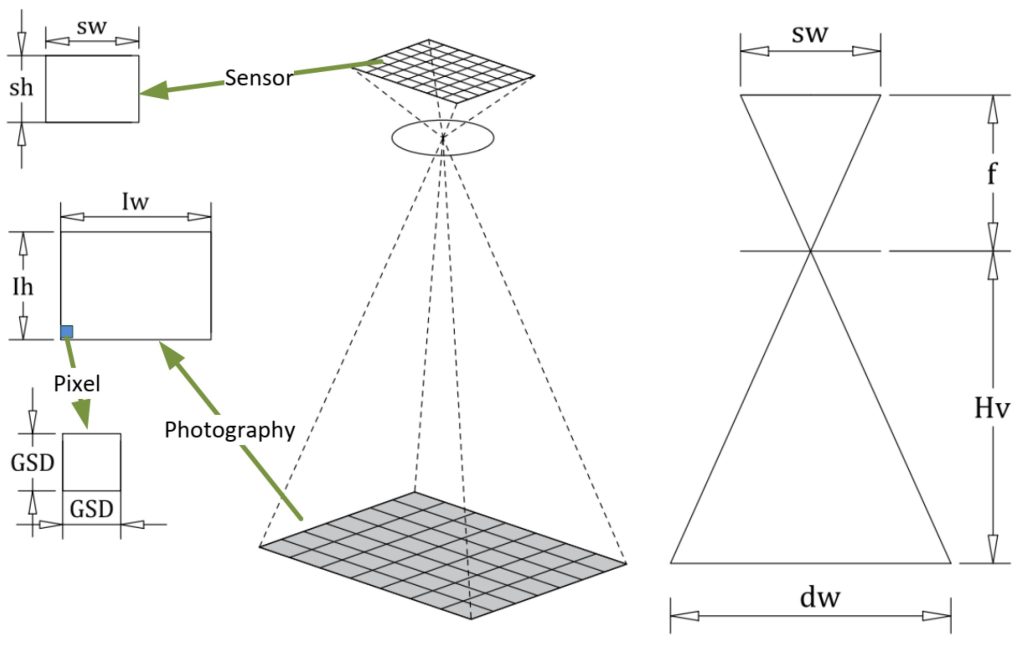
Ensure that all physical measurements are in consistent units. Using a sensor width of 13.2 mm, a focal length of 8.8 mm, and an image width of 5,472 pixels at 20 m AGL produces a theoretical GSD of around 0.55 cm/pixel.
Note that this formula applies to downward-pointing cameras over flat ground, and terrain and angle of view impact actual resolution. Even though 15–30 m AGL might work well for some 20–48 MP cameras, compute your GSD from your camera specs before flying.
How to Validate GSD in the Field
Deploy a known target size, for example, a 50 × 50 cm checkerboard, in a representative 20–50 m testing area.
- Estimate the expected GSD and set the desired flight height.
- Measure the width of the target in pixels to calculate actual GSD.
- If there is a deviation of more than 10-15% recalculate the camera geometry and/or the flight height.
Prior to flying, inspect the height of crops, trellis wires, irrigation system, and any other potential obstacles in the field.
Control Flight Speed, Shutter Speed, and Motion Blur
Even high-resolution imagery suffers from motion blur, which obscures the finer details of leaves.
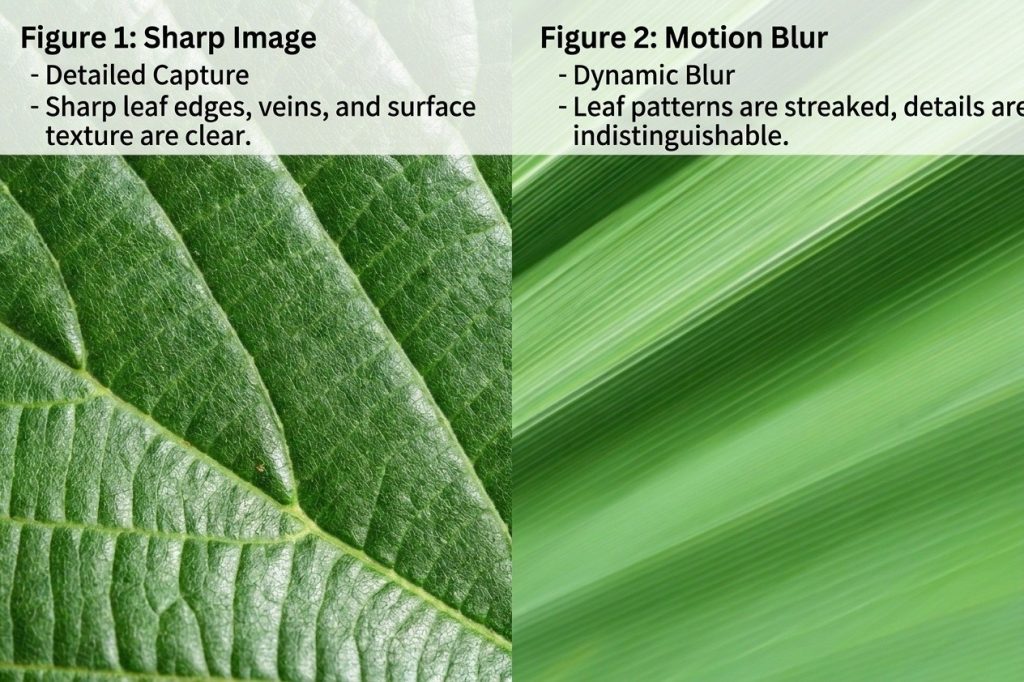
Motion Blur (pixels) = (Flight Speed × Exposure Time) / GSD
Flight Speed should be measured in m/s, while Exposure Time in seconds. GSD is expressed in meters per pixel. In order to capture leaf-level imagery, one should try to keep motion blur no greater than 0.5 to 1 pixel.
For instance, flying with the speed of 5 m/s at 1 cm/pixel GSD and with 1/1000 sec shutter speed results in 0.5 pixel of motion blur.
Theoretically maximum flight speed would be:
Maximum Speed = (GSD × Allowable Motion Blur in Pixels) / Exposure Time
This formula provides an initial estimate. Wind, vibration, and camera movement may increase actual blur, so validate settings through field tests.
Practical Camera and Flight Settings
- Employ shutter speeds of 1/1000 second or faster where lighting is favorable.
- Check flight speeds ranging from 2–5 m/s, taking into account GSD, exposure times, and sharpness.
- Apply shutter priority or manual exposures to prevent slow shutter speeds.
- Maintain low ISO levels, usually 100–400 ISO in adequate daylight while ensuring correct exposure.
- Do not turn or change altitude while capturing images.
To verify settings, fly over a stationary target at 2, 3, and 5 m/s. Examine the edges of the target and leaf textures at 100-200% zoom. Sharpness measurements like the variance of the Laplacian can be an additional measurement but must be compared under similar conditions.
Conduct tests under appropriate winds before using the settings for large areas.
Select the Right Camera for the Inspection Task
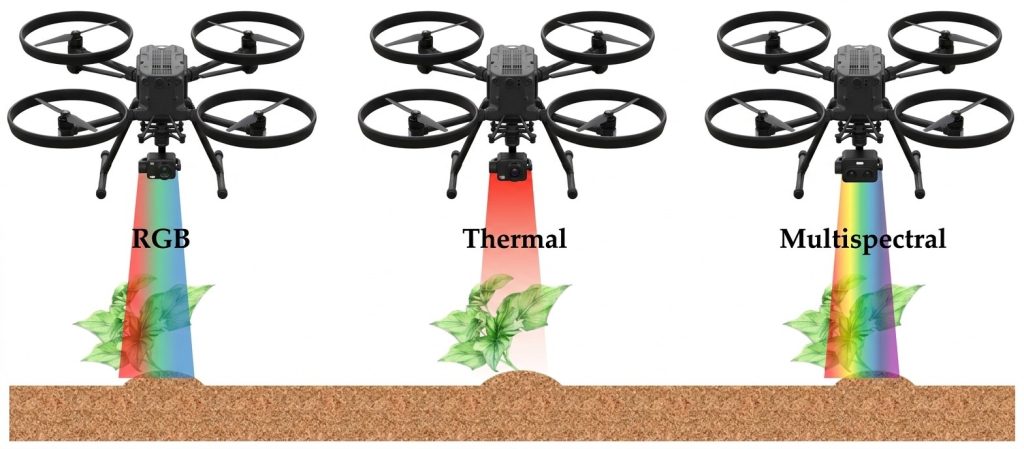
RGB, multispectral, and thermal sensors give us information on crops differently.
- RGB sensors record visible features like the color, shape, damage, gaps, and spots on leaves, allowing us to know where to conduct further investigation.
- Multispectral sensors measure reflectivity of certain wavelengths. After proper calibration and processing, vegetation indices could be used for comparison of the vigor of the plants and their canopy.
- Thermal sensors use infrared radiation to estimate the surface temperature. Temperature distribution in the canopy could be a sign of water stress for the plant.
Leaf details are not determined by the resolution of the camera only. The size of the sensor, focal length, focus distance, exposure time, lens quality, and the angle of the camera affect the picture.
Before using any particular type of a sensor, it is necessary to check the weight, mounting options, power, data output, and compatibility with the drone’s control systems.
Plan Image Overlap and Capture Angles
Consistent image acquisition enables comparison of crops over time and 3D reconstruction.
Use the following overlap configurations for your mapping mission:
- Forward overlap: 80-85%.
- Side overlap: 70-80%.
Dense canopy and low image texture: Check 85-90% forward and 75-85% side overlap.
Overlap will depend on camera field of view, flight configuration, canopy density, image texture, and purpose of data – orthomosaic or 3D reconstruction.
Camera angle affects leaf visibility as well:
- Nadir imaging: Camera is looking directly down; useful for assessment of canopy coverage and gaps at field level.
- Oblique imaging: Checking angles 30-45° from vertical might help to identify leaf surface and hidden in nadir images plant structure, however, differences in perspective and foliage occlusion can still exist.
Comparison of the results can be done by collecting both nadir and oblique imagery of the same crop area. Evaluation of leaf visibility, image sharpness, coverage, and occlusion should be performed.
For mapping experiments fly 3-5 short lines with different overlap settings. Evaluate feature matching, reconstruction completeness, and image gaps after post-processing. Determine actual overlap by means of footprint calculation and distance between flight lines.
Maintain Consistent Camera Settings Across Flights
Using similar settings allows following up on crop development. Differences in exposure, focus, viewing angles, and lighting make comparing images challenging.
When acquiring images in a consistent manner:
- Use constant ISO, exposure, and aperture values when conditions permit.
- Use constant focus whenever possible and check whether the crop is in the focusing range.
- Avoid overexposure and shadows hiding leaf structures.
- Document weather and lighting conditions for each mission.
- For multispectral imagery, use the manufacturer’s radiometric calibration instructions.
- For thermal imagery, document environmental conditions and follow the calibration guidelines for the sensor.
Test shooting should be carried out before the journey, and the exposure histograms should be analyzed. During the whole mission, analyze 5-10 pictures to see whether there is a problem with exposure, focus and image quality consistency.
In case of repeated surveys, try to keep the flight height, camera settings, route of the mission and angles of observations the same. Take into consideration the changes in light and crops.
Analyze Leaf Images to Monitor Crop Growth
Image-processing tools may be used to organize observations, detect unusual patterns, and compare crop conditions within one field.
The common tasks are as follows:
- Leaf damage: Identify leaf discoloration, spots, damage on leaf margins, or unusual leaf shape for further examination.
- Development of canopy: Examine coverage and development of holes on plants at different growth stages.
- Variability in space: Locate places where plants are growing under varying conditions to conduct further field investigation.
- Plant development: Compare images obtained from multiple flights over time.
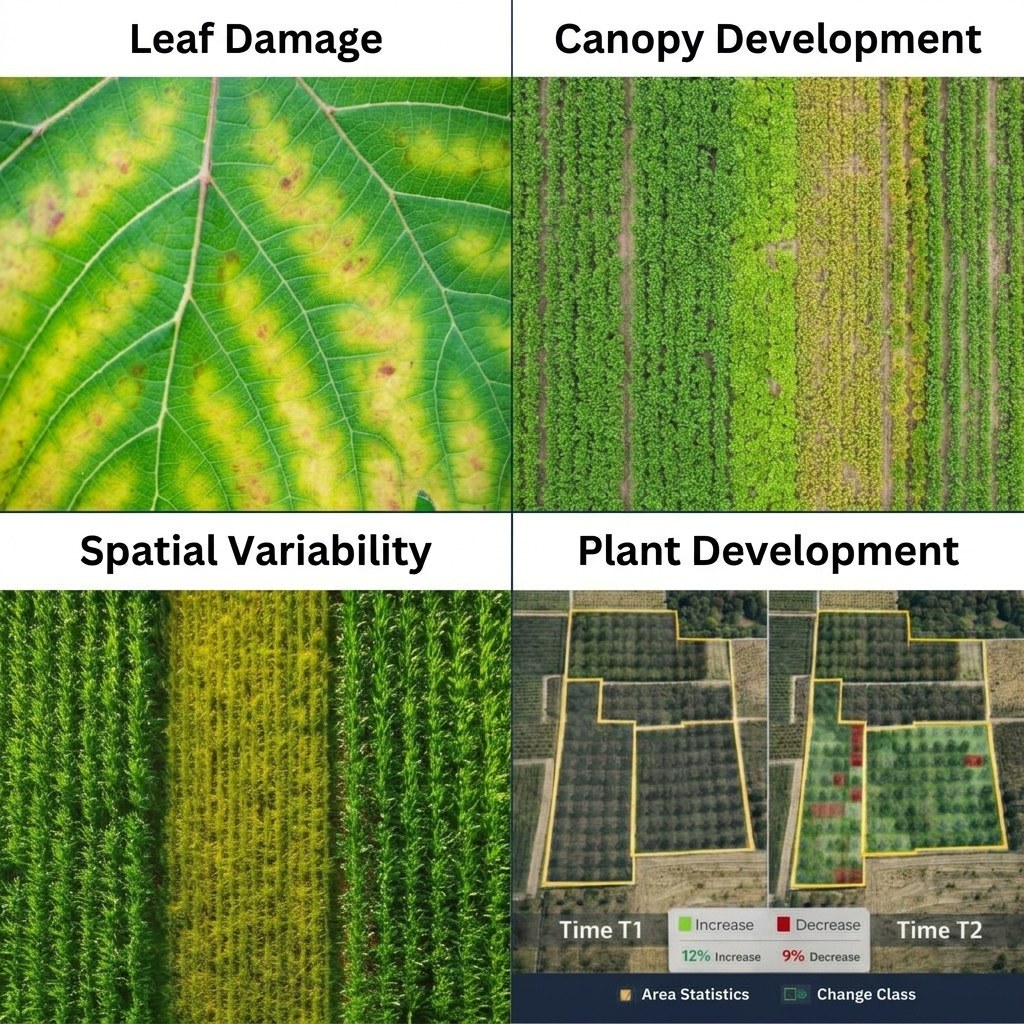
The image needs to be of high quality since aspects such as blurring, improper lighting, overlapping of the leaves, and variation in camera angles reduce the accuracy of detection.
The RGB image is unable to tell whether the exact cause of the appearance of symptoms due to lack of water, nutrients, insect pests, or diseases of the plant is environmental.
For increasing the accuracy, one needs to use images that are acquired through the assistance of drones along with field observation, soil moisture levels, and weather conditions.
Turn Drone Findings into Practical Farm Management
Low-altitude drone imagery allows for the identification of fields that require further investigation by the farmer.
Inconsistent plant growth may indicate the need for an investigation into the irrigation system and soil moisture levels in the root zone. Leaf spotting or discoloration may indicate the need for plant samples to be collected for analysis.
Repetitive georeferenced pictures also help the operator to go back to the same field areas and make comparisons of the crop condition in different stages of development. This can be done more efficiently if the same path and setting of the camera are maintained during flights.
The process can save some time of field inspections because it can prioritize those areas that have problems and not those that are uniformly developed. However, drone imagery is not meant to replace field diagnosis.
Validate the Complete Imaging Workflow in the Field
When operating any new camera system configuration for the first time, or measuring any crop that has not been assessed before, undertake field validation.
Step 1: Mission Planning
Determine the desired GSD and the altitude of the mission. Place 2-3 markers on the ground of known size in visible and safe spots, recording information about the wind speed, illumination, cloudiness, crop height and obstacles.
Step 2: Short Test Flight
Fly the test flight over the chosen area of the crops for 10-20 minutes depending on weather conditions and drone endurance. Check your planned speed, exposure, overlap, nadir and oblique angles of the camera.
Step 3: Quick Image Quality Analysis
Check the GSD, edge resolution, motion blur, exposure evenness, coverage of the field and clearance of obstacles from the images using 100-200% zoom when needed.
Step 4: Verify Images with Ground Observations
Scale verification with measurements of known objects. Comparing selected images with ground observations of the same leaves/plants. If you use stitching as your method, verify stitching efficiency and areas of stitching.
Step 5: StandarDizing the Configuration
Create a standardized operational log with flight height, velocity, shutter speed, ISO, focus, overlap, direction of the camera, route map, weather, and image quality.
For the next mission, repeat the previous configuration, but re-verify the configuration if there were changes in your camera, payload, crops, or operation conditions.
Evaluate the Drone Platform for Agricultural Imaging
The drone used for agriculture must be able to carry the intended load of cameras in a stable manner while maintaining consistent quality of imaging and a sufficient endurance level.
Key aspects here are load capacity, endurance, vibration tolerance, camera mount, positioning accuracy, and software integration.
Prior to integration of an RGB, multispectral, or thermal camera, ensure that the weight, mounting, power, data link, and stabilization are verified. The ability to fly autonomously and perform obstacle avoidance must also be verified in the given configuration of flight control and sensors.
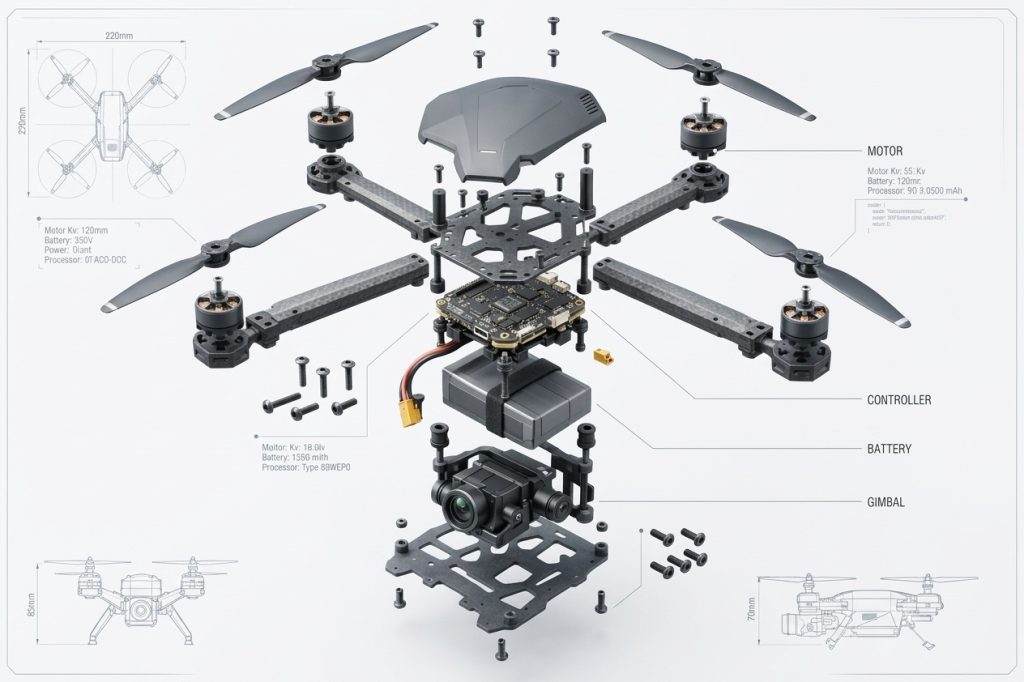
Prior to field use, validate the configuration by:
- Checking the flight time with the camera on board.
- Evaluating the level of vibrations and image clarity during low-altitude drone flights.
- Image quality between different payloads.
- Obstacle sensing capability if available.
- Performing three to five test flights to check the consistency of the images.
The configuration should be selected on the basis of performance and image quality in actual flights.